
I’ve been spending an average of one to two hours a day curating my AI Timeline for the past couple years and just passed 3,000 events last week. I have a cache of sites I’d visit for AI news that I deemed impactful in some way: AI innovations, legislation, new models, improved models, fails, advances in robotics…you name it. I knew I could save a lot of time daily if I used AI in the curation process, but I held off for several reasons:
- I know what I think is most relevant when I see it and wasn’t sure I could pass my whimsy off to an algorithm. I mean most times I’m all business, but when a robot busts through a glass bus stop in Chicago like a rogue Kool-Aid pitcher from the ’70s I’m going to include it. Same with a robot bustin moves and dishes in a restaurant. 🤷♀️
- Codifying my many editorial preferences was going to be time consuming: titles in sentence case, no em dashes (unless I add them), rules on when to prepend a title with ‘Leak’ vs ‘Report’ vs ‘Study’ (which it still struggles with), no marketing hype, no second-person references (you -> users), no blind acceptance of performance scores, rules on when to use single vs double quotes (because I refuse to put commas and periods inside short quotes), one sentence per bullet unless it’s a quote, etc etc.
- I have 170 tags to choose from and canonical company names, so I’d need to be able to edit everything before anything goes live.
- I had little trust in Sam Altman and Elon Musk’s claims, in particular. And that was before xAI [allegedly] published thousands of images of CSAM or Altman claimed to go to bat for Anthropic with the government. I suspect he’ll never forgive Anthropic CEO Dario Amodei for Anthropic’s hilarious Super Bowl ad campaign—even if it means looking silly.
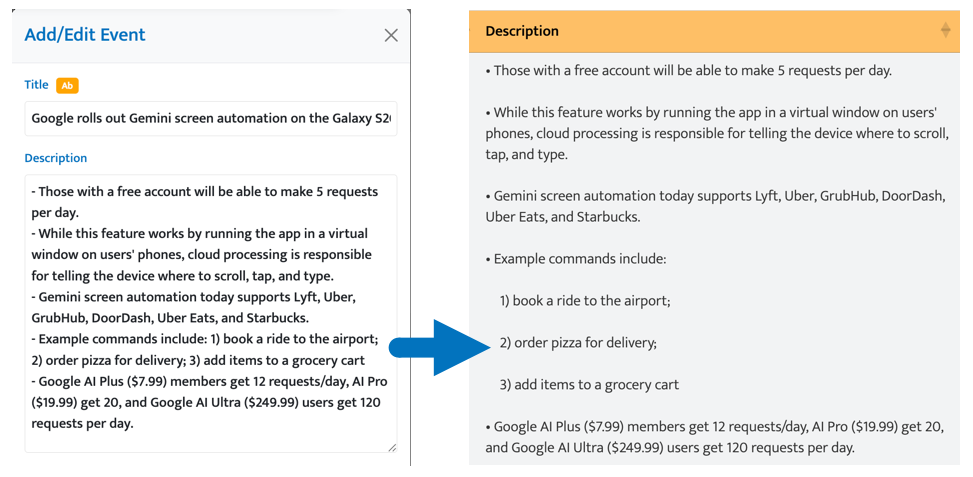
- My app converts hyphens to bullets for unordered lists (the default) and numbers followed by a right parenthesis to ordered lists.
Altogether it just seemed like a complicated order.
So Why Now?
I’ve been burning the midnight oil working on two apps I plan to launch in the coming months: one for marketers and one for…well, I can’t say but it’s mad cool. Now finding time to build apps that will help the industry is imperative since my contract work is full time.

Lessons Learned
I built all of my current apps (plus a host of bespoke apps for clients) using chatbots. I also migrated my site from Rainmaker (stay far far away) to an SSH server I manage using nothing but chatbots. I can say without a hint of hyperbole that I was able to accomplish in a weekend what took me a month working full time on my apps—and probably longer.
For those who have been hesitant to jump into the icy waters of agentic coding, here are my best tips:
- Don’t overthink it: I watched a few YouTube videos, and don’t get me wrong…the information was good. But for a chronic over-thinker who actually reads manuals before trying a new product, it was a bit stymying. For my scraper app I created a list of skills, specified agents and what model I wanted them to use, and kept my CLAUDE.md file lean. I asked the Claude chatbot to build out all of these markdown files and organized them just so. Then I decided to build an app for myself to figure out what Azure services we needed on a project, and because I thought it would be a single-use app I just jumped in and didn’t script everything out. And guess what? Claude built out the structure without me asking. Could it be better? I’m sure. But I’ve only hit my limit one time while managing four projects, and that was only for a couple hours. Just tell Claude (or whatever agentic app you’re working with) what you want to build and let yourself enjoy the process. I’m telling you, it’s nothing short of magical.
- Be careful with permissions: Some of the biggest vibe coding fails happen when users don’t clip the model’s wings enough to prevent the truly catastrophic mistakes. A lot of the worst AI fails occur because someone gave a model the keys to the kingdom (i.e., over-reaching powers of deletion). I don’t plan to even give an agent access to my server any time soon. I’m happy to take the few seconds it takes to pull changes from GitHub to my server and restart the server. But even if I did, I have backups on top of backups for everything. Having said all that, since I keep my git branches pretty granular and commit often, I set Claude Code to bypass permissions for most tasks.
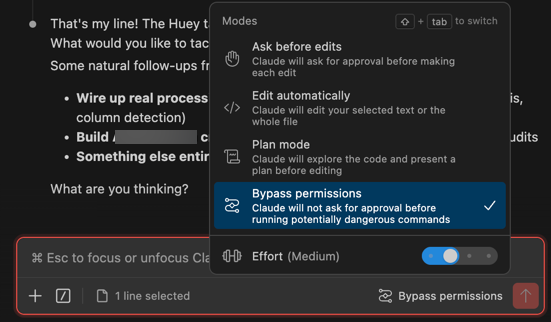
- Brainstorm with a chatbot: When I’m in brainstorming mode, I find it much more helpful to chat with Claude outside Claude Code. They have very different personalities. Claude Code is all business. 👨🏻💼 Claude the chatbot is hype! At least for me because after 2+ years of working with it, it knows that’s how I roll. It’s brimming with personality, generous with positive feedback, encouraging when encountering blockers, and gentle with pushback (but isn’t sycophantic). Claude Code will even switch modes from Plan mode to Edit automatically sometimes before I even finish my exploratory probe. Or it will obfuscate the response it just sent me with a multiple choice quiz of options. When I finish brainstorming, I ask Claude for the prompt to give Claude Code to kick production into the far-left lane.
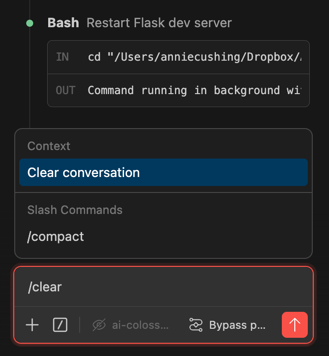
- Clear your context frequently: Every instruction you provide, prompt you send it, image you upload, etc adds to your context. And it’s context that causes you to deplete your tokens faster. In fact, when Anthropic CEO Dario Amodei announced the company was doubling the limits for Claude a couple weeks ago, I got a little lazy about clearing my context. And that was when I ran out of tokens. If you just enter ‘/clear’ (called a ‘slash command’), the option will surface to Clear Conversation. Do that. Often.
- Avoid MCP servers: MCP servers are plugins that connect Claude to external tools and services. Think GitHub, Notion, Chrome Dev Tools, or your file system. They function similarly to WordPress plugins. MCP servers are efficiency mavens but context hogs. They are bloated mini-apps that come with a lot of junk in the trunk. If you find one from a marketplace like Awesome MCP Servers and like it, ask Claude to convert it to a skill or agent. It will save you a ton of context.
What I Built for My Timeline
A Scraper
I have an admin area for my AI Timeline, with a simple modal I use to add events.
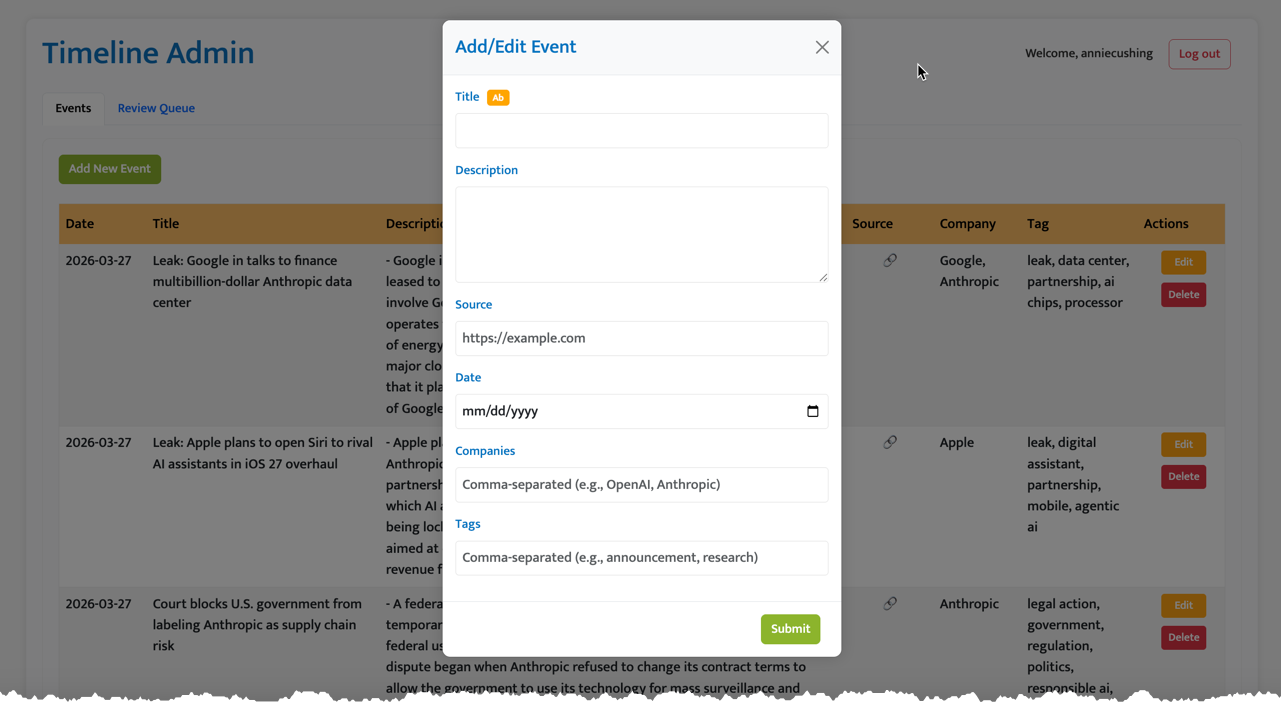
Note: The little orange button next to the title is another feature I added the same weekend, which I forgot about. It uses Anthropic’s Haiku model to convert titles to sentence case while capping proper nouns. I also baked that into the app I built, but I still add articles manually and this is a big time saver.
To save significant time, I gave Claude Code a tightly organized list of instructions for the scraper (e.g., which sites to hit, what to use as the starting point of the scrape for cases where an article is added by the site after it hit a site at the allotted time, what points to hit in the summary, what writing conventions to follow, how to assign company and topical tags, etc. And now every evening, after I finish work, I have a fresh batch of articles to review. I can edit anything, add new tags, add links, etc. Having full editorial control was my top priority.
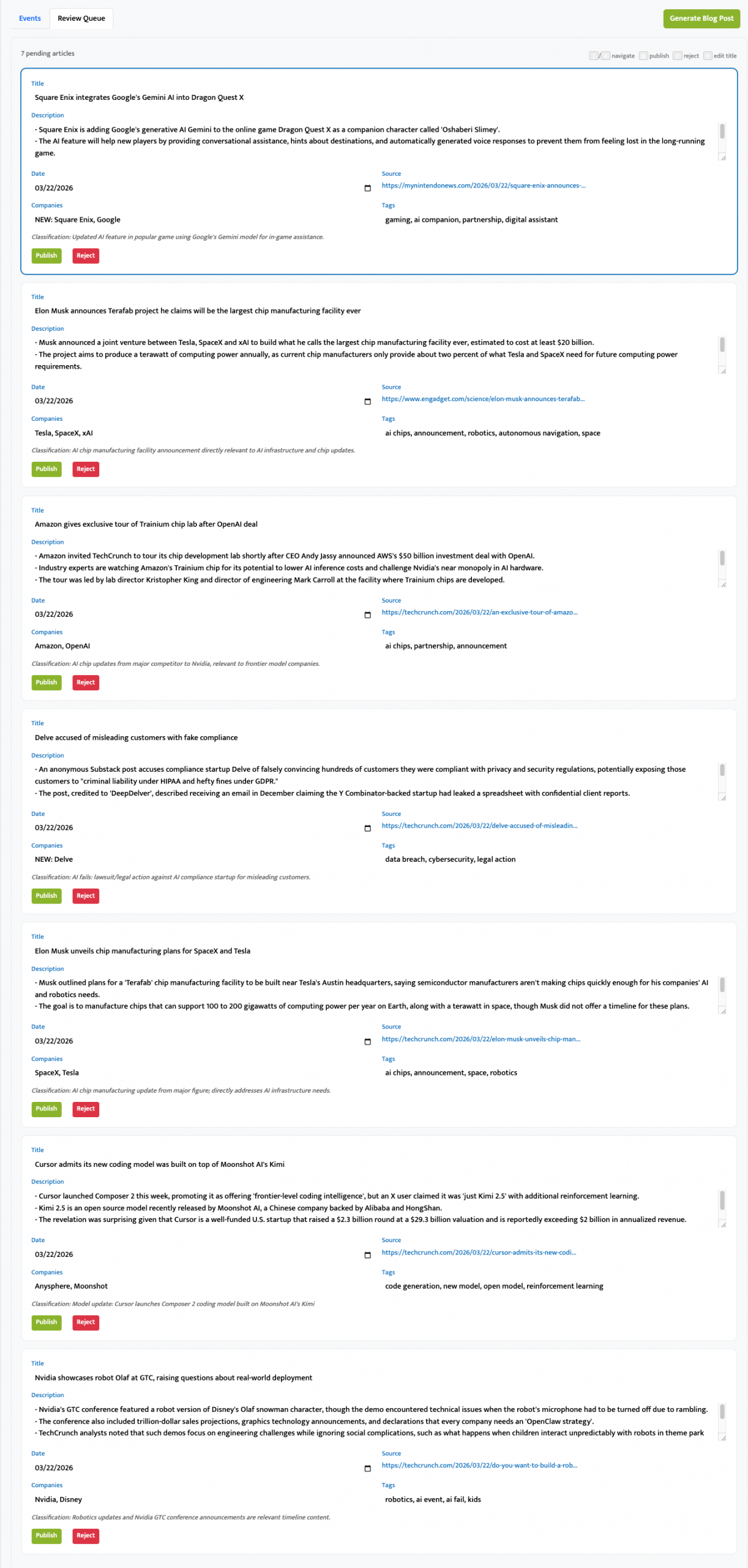
A Chrome Extension
For sites that either blocked crawlers or weren’t included in my daily feed, I created a Chrome extension that allows me to scrape on the fly. If it’s in the list I provided in a markdown file, the Add to Timeline button appears in the upper-right corner automatically. If it’s not, I can click the stamp icon to summon it.
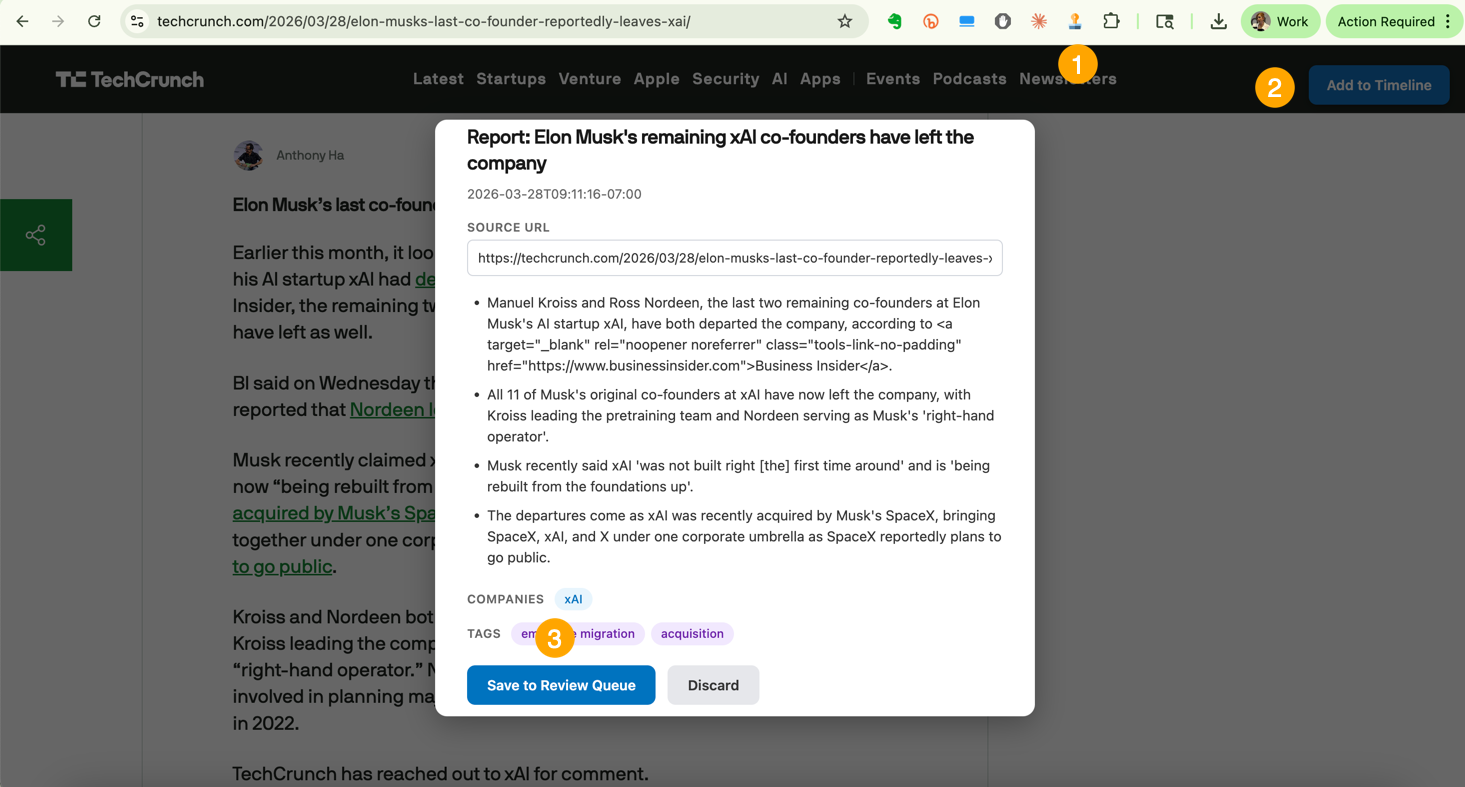
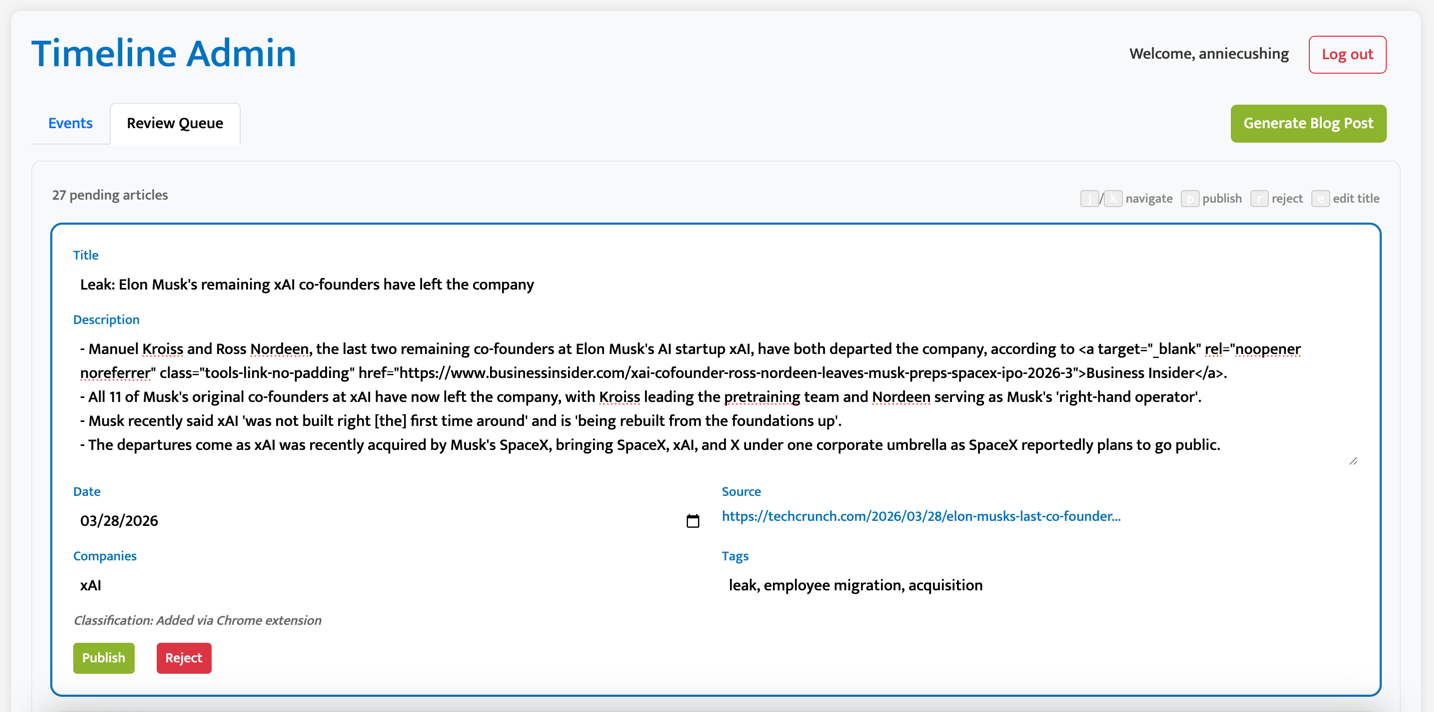
I decided that since I had already built the review queue, I’d simplify the Chrome extension by just saving the article to the review queue and editing it there. I need to fine-tune the model to better differentiate reports from leaks. (It thought this article was a report but it was a leak. It’s in the pipeline.)
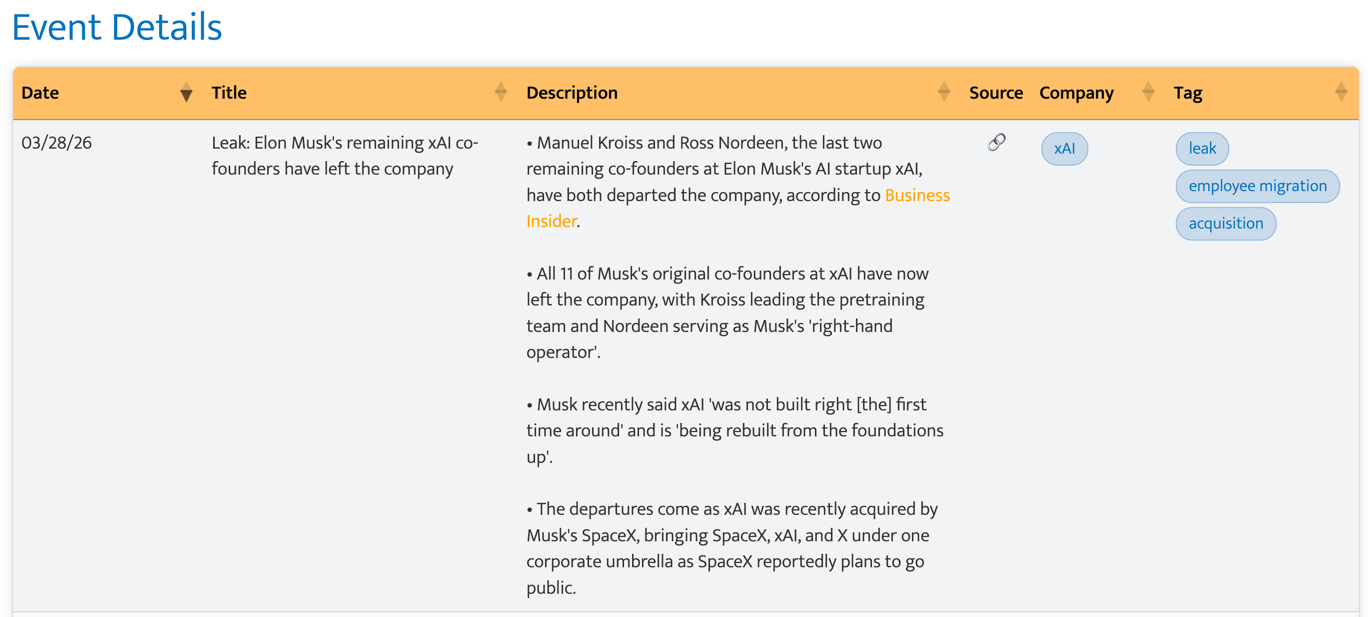
And voila! My formatted timeline entry. 📸🙆♀️
Post Generator
Every Monday I publish a post with a list of all the updates for that week. It’s a time-intensive task and ideal for AI because it’s rote. I could use automation alone except I try to put the more significant updates at the top of the stack each day. So I use Anthropic’s Haiku model for the ranking algorithm and have a button I click on Sundays to generate the post. I still add the image because I’m picky and don’t just want to hand that off to an agent calling the Unsplash API (yet), but I’m sure I’ll eventually relinquish that control. Or maybe have it add three images in a carousel that I select from. (I like options.)
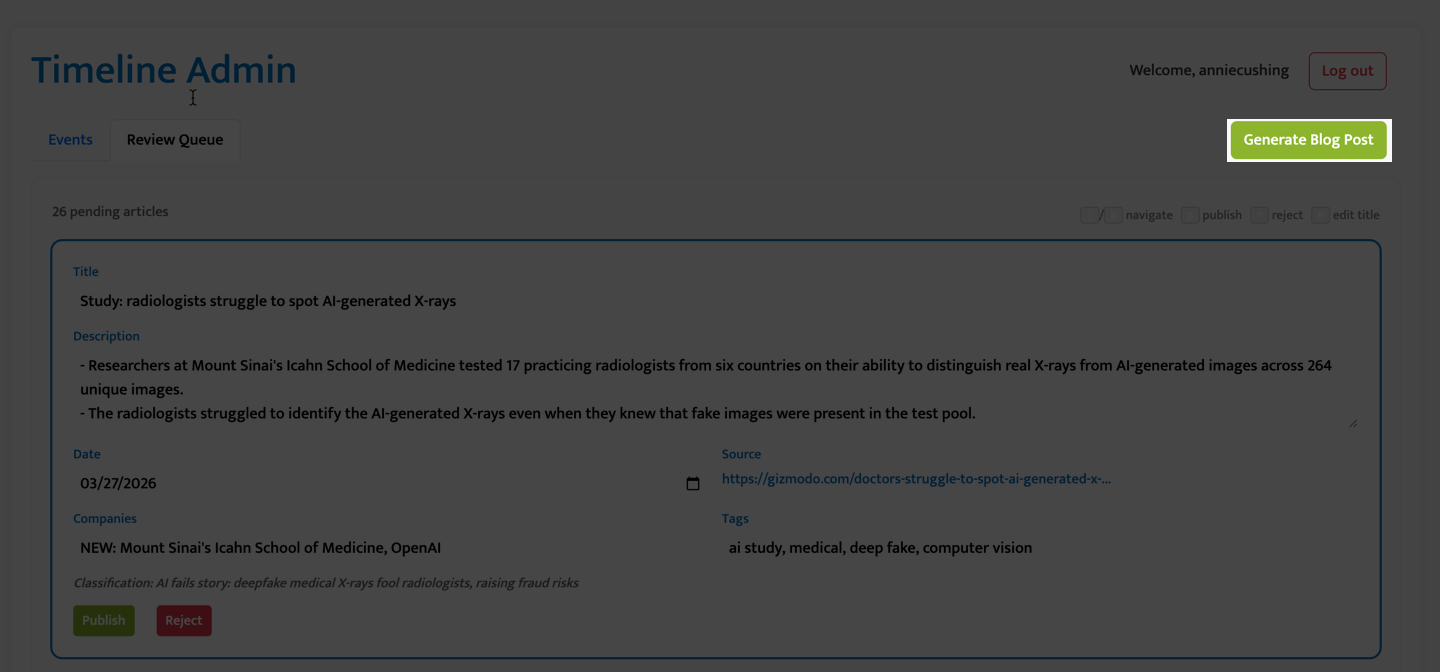
The time savings is not insignificant. But I’m still completely in control of the content and put significant time and effort into building an algorithm with my values and preferences.
Again, I built all of this in a weekend. I estimate it was probably seven hours total. And most of that time was getting Claude Code familiar with how my server is configured because it kept trying to take on tasks I didn’t assign it.
Leave a Reply