
Overview
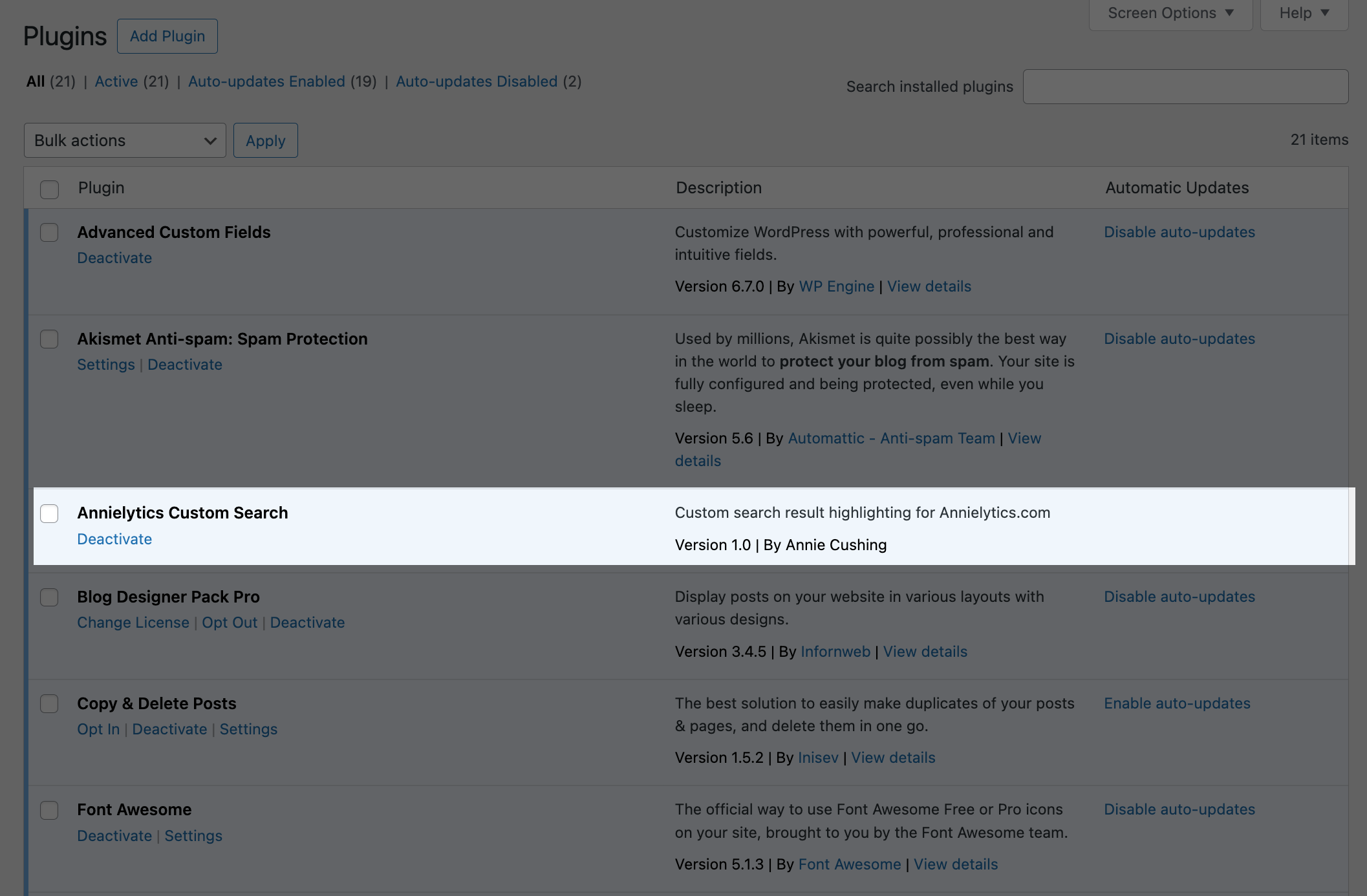
I built a custom WordPress plugin for my site because I wasn’t happy with WordPress’ default search experience and didn’t have enough flexibility with search plugins.
Although it hooks into WordPress’s search query pipeline, its customized logic and formatting make it extend well beyond WordPress’s default search functionality.
I didn’t set out to spend a weekend customizing the search experience for my site. I didn’t even have site search because the default WordPress search experience is abysmal, imo: no images, all text is centered, early 2000s style, etc. But I created a fun custom 404 page and wanted to add a search field to the page. The next thing I knew, the sun had set and I had cut into next week’s Olipop supply. 🥫🥫🥫🗑️

Key Features
I started with what was already a pretty unrealistic feature list and just kept adding to it. 🕳️🐇
Some of those features include:
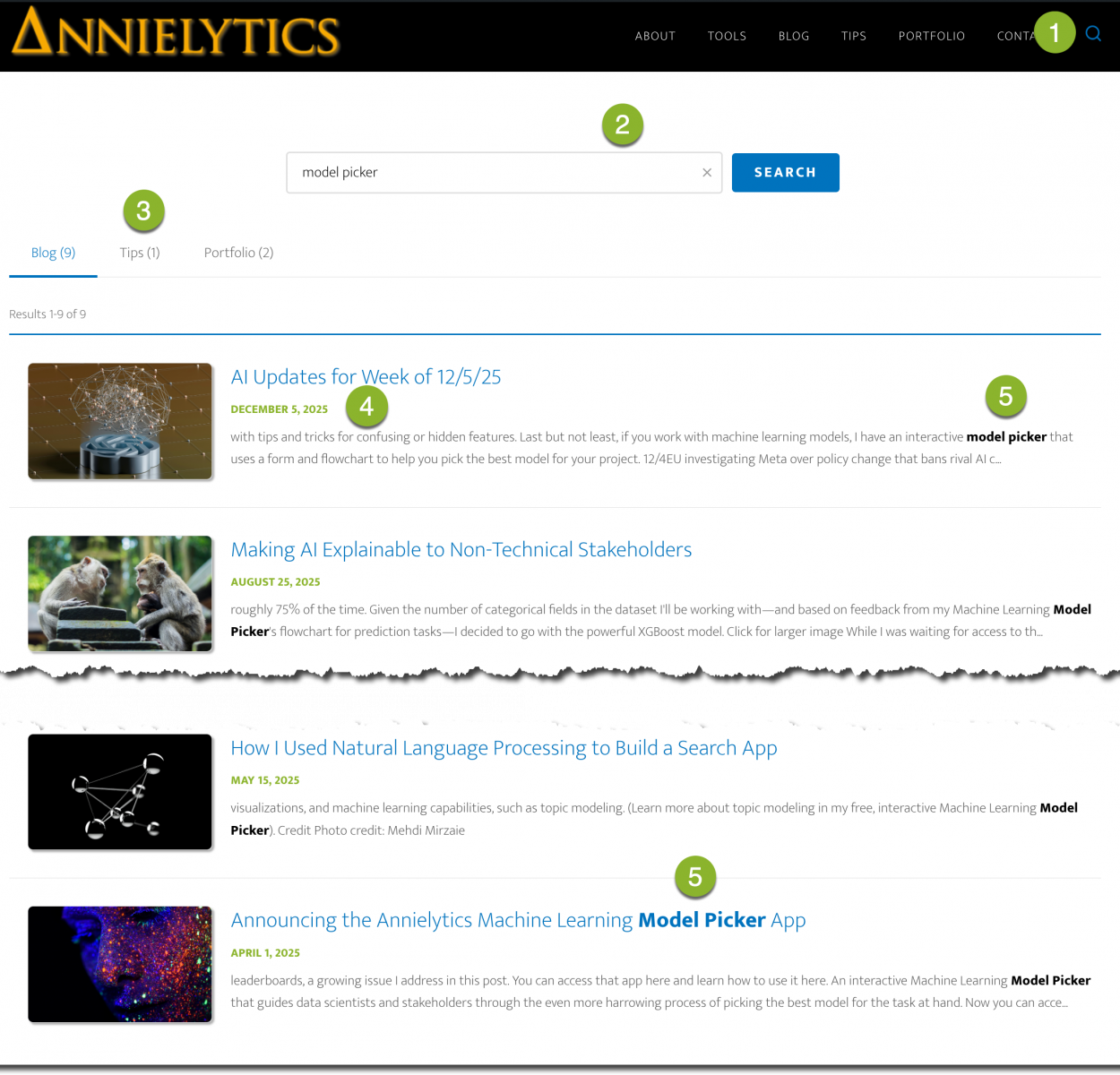
- Custom, branded search icon that triggers a slide-in search field
- Inline search field for search modification with the same clearable search button (the x) I use in all my apps
- Tabbed search results
- Search results in chronological order (desc)
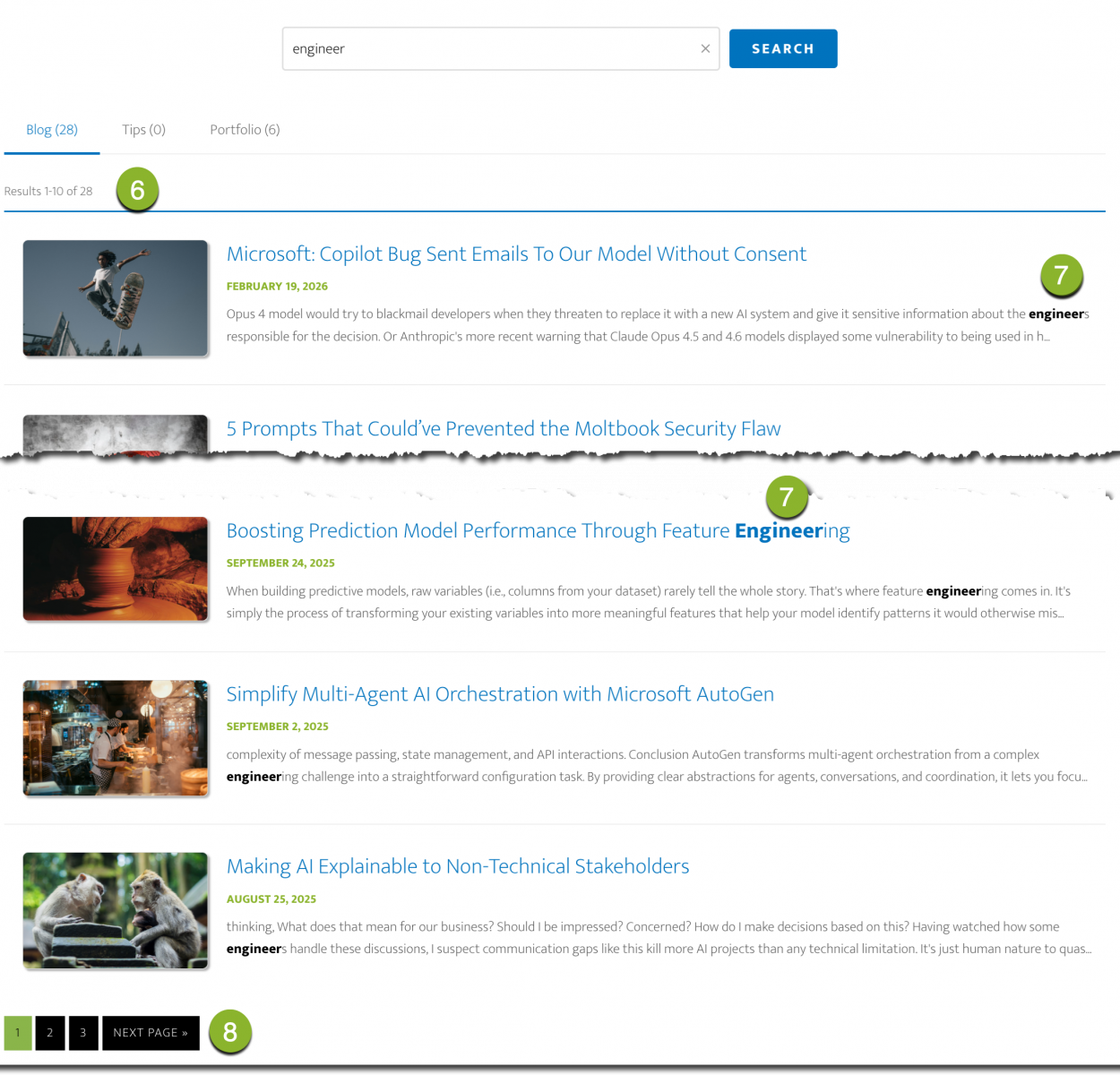
- Keyword / phrase highlighting (and phrase terms must be used together unlike WordPress’ search functionality)
- Count of search results per tab (also included in the tabs)
- Search term highlighting, even if partial match (so a phrase can’t be chopped into pieces but a search for ‘keyword match’ would also return ‘keyword matching’ and ‘keyword matched’)
- Elegant pagination
Note: In case it’s not obvious, list items align with the annotations in the screenshots above.
Server-Side Filtering
I initially used AJAX to filter the posts into my blog, tips, and portfolio categories (i.e., no url update when you switched tabs). But then the filtering was done client side (i.e., in the browser). The filtering was cosmetic, meaning it only hid posts from view rather than actually querying the database for the specific post type. This approach caused pagination issues. For example, a search for ‘model picker’ returned nine blog post results, but two of the results under the Blog tab were on page 2. That’s because there were 12 results in total: one tip and two portfolio posts pushed it to a total of 12 results. That’s why there were two results on page 2.
Having seven search results on one page under the Blog tab was enough to bother me, so I changed the strategy to use server-side PHP for query modification and result generation. By pushing the filtering earlier than display—at the query level before WordPress retrieves results from the database—pagination worked correctly because WordPress only counts and paginates the filtered post type, not all results across all post types. Now, if results are fewer than 10, they are displayed on one page. 🎉
Then I spent time tweaking the logic to use cleaner urls. For example, https://www.annielytics.com/?s=model%20picker&post_type=post (🤢) was simplified to https://www.annielytics.com/?s=model+picker (since it’s the default).
Style
I had a lot of fun formatting the the search results page using CSS. I went with a subtle card experience with some hover effects and used my brand colors for all the formatting. I also applied formatting to highlight the search term/phrase to make the snippets easier to scan.
And since all my post pages across the site use feature images, I just scaled them and included them next to search results just to add visual interest to the page. I was able to port some of the styles and JavaScript from my tools, which aren’t hosted on WordPress. I formatted my tools pages to look like the rest of my site—for a more seamless experience—but they use a different server that works better for Python apps. So I just copied the JavaScript and CSS over to WordPress and was able to shave off some engineering time.
If I weren’t so picky, I could’ve finished the project in a fraction of the time. 🕒🕕🕛 But I was very happy with the form and function of my custom search experience when I was finished. And I learned a lot vibe coding my first WordPress plugin.